
Automated Workflow Application
Overview
Dow Jones Factiva is a B2B research platform that gives professionals access to tens of thousands of global news sources, company information, industry publications and business intelligence.
As Factiva moved toward a more modern experience, researchers were encountering limitations in one of its most important workflows: filtering large sets of news results. Some of those limitations were significant enough that users were returning to the legacy Factiva experience to complete their research.
I worked on redesigning the filtering experience to restore those capabilities while making them easier to discover and use across desktop and mobile.
My Roles
UX / Interaction Design
Workflow Design
VOC Analysis
Competitive Analysis
The Challenge
Users were leaving the new experience to complete their work in the old one.
Then explain the issue.
Factiva's profile pages allowed researchers to filter article results across dimensions such as companies, industries, sources, regions, subjects and languages. Some categories could contain hundreds—or close to 1,000—individual filters.
But the new experience exposed only a small portion of them.
The experience needed to:
Make the complete filter set discoverable
Support search across large filter categories
Restore the ability to include or exclude filters
Preserve dynamic article and filter updates
Scale from desktop to mobile
Avoid overwhelming researchers with hundreds of choices at once
Visual: Your existing Company / Industry / Keyword profile screenshots.
This parallels what you did on Advantage, where you establish the environment and then explicitly list what the future-state experience needed to accomplish.
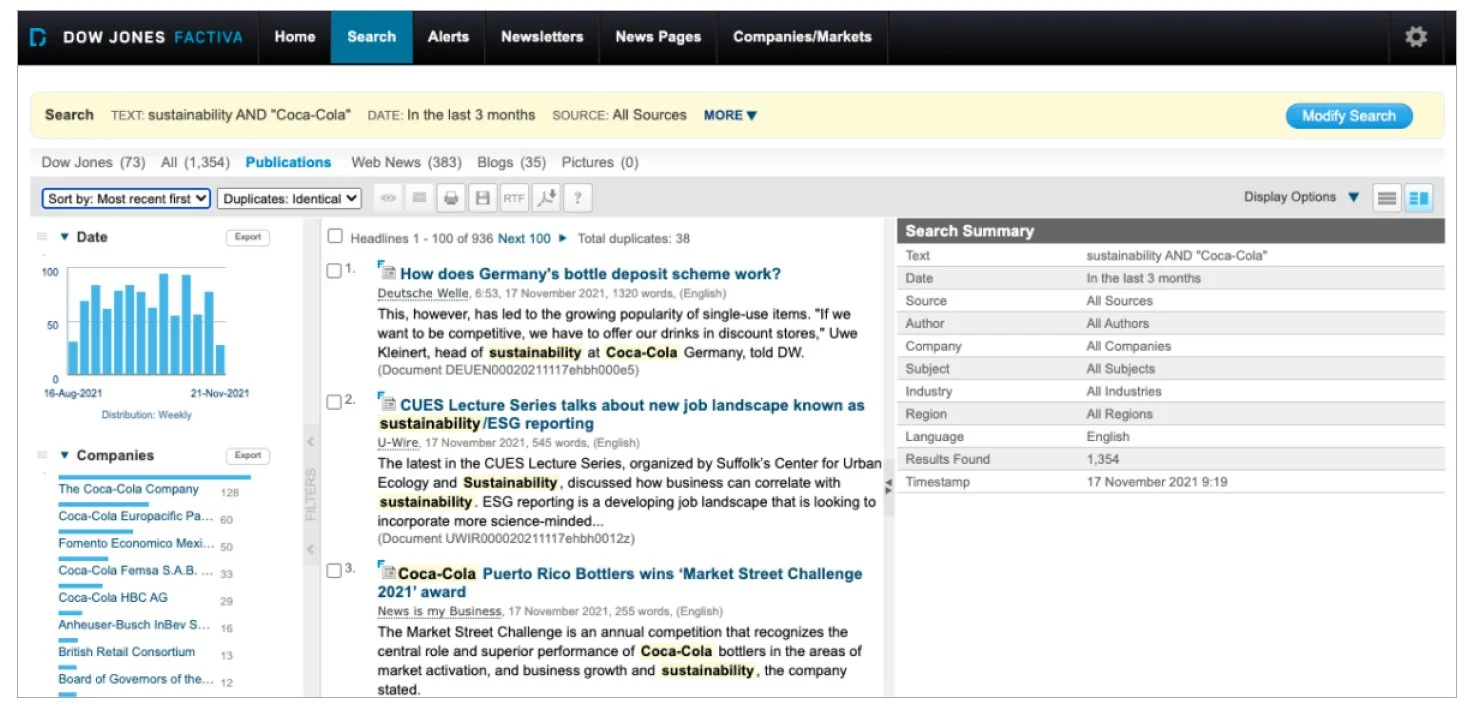
Legacy Factiva. Powerful, but dense
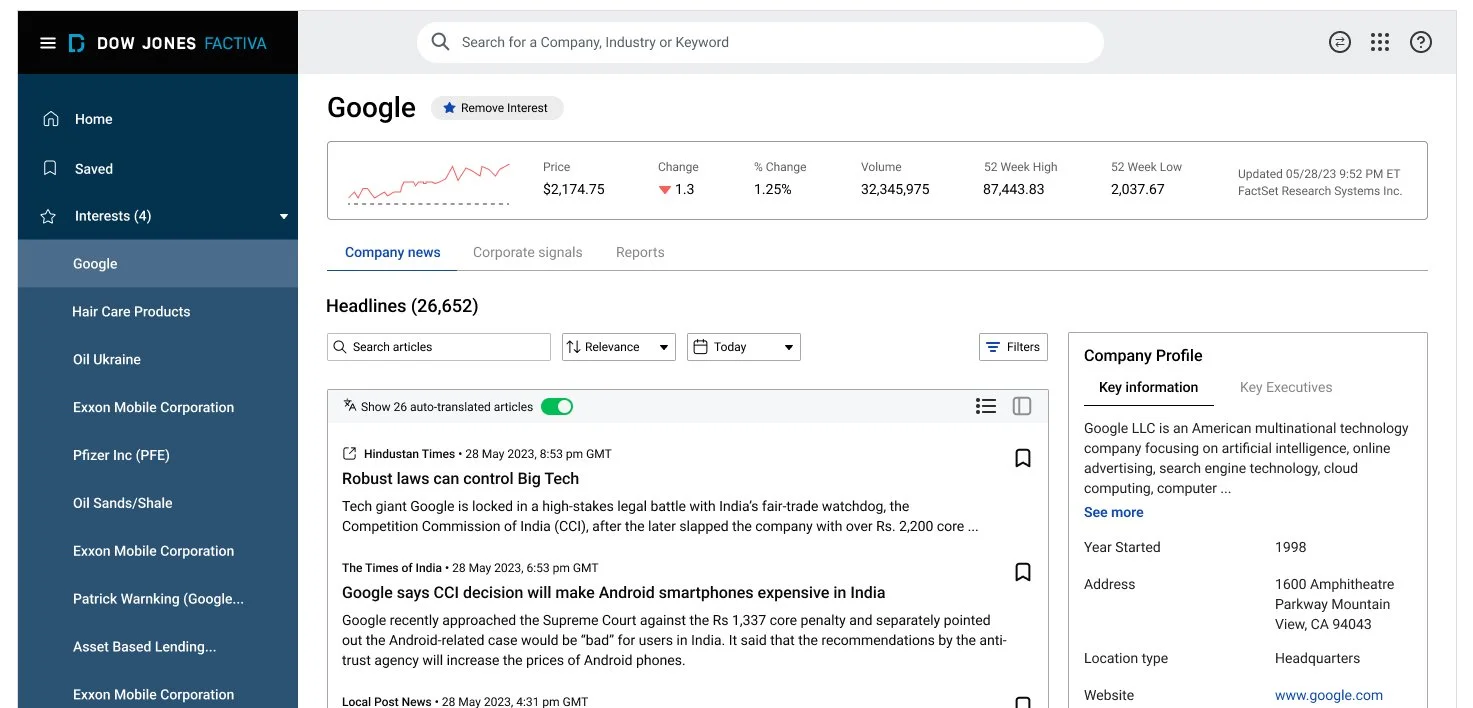
New Factiva. Cleaner, but limited
Understanding the existing experience
Before redesigning the experience, I first needed to understand how filtering behaved within Factiva's larger research workflow.
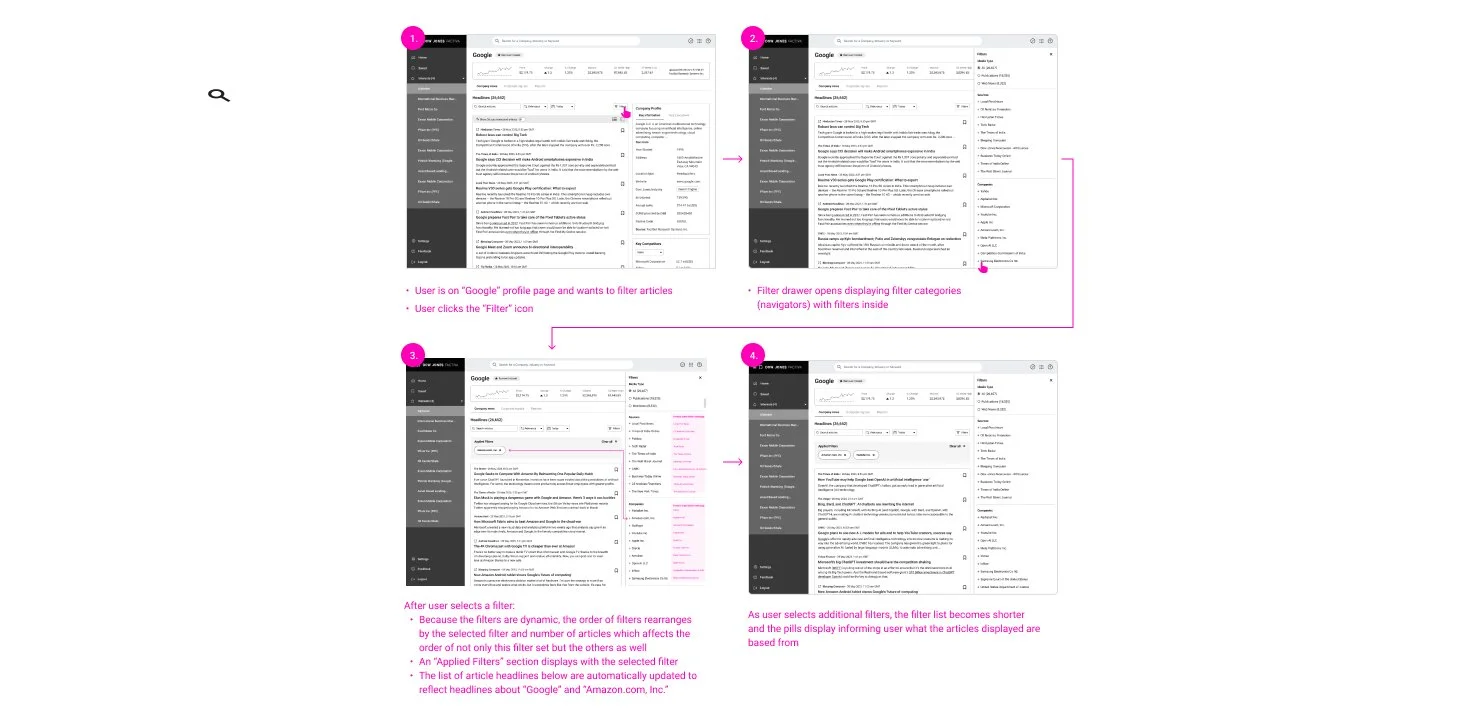
A researcher could enter a company, industry, or keyword profile and browse a corresponding article feed. Opening the filter drawer exposed several filtering dimensions, each containing its own set of values.
Importantly, those filters weren't independent.
Selecting one dynamically changed the article results, affected the number of available articles, and reordered or updated options within other filter categories.
Create New Workflow Wireframes
Below is how a manager/practitioner creates a workflow using this app. From the dashboard, they can navigate to the Workflow App that displays a table of all the tasks they’ve created. In the upper right hand side of the page is a “Create New Workflow” button that when is clicked, displays a modal of the “Create New Workflow” form. After filled out and saved, their task list is updated and the process begins with an alert sent to the first associate in the order.

From here I decided to start with low fidelity wireframes and originally intended for this to be a two step wizard:
Define the workflow and create subtasks
Review and Save
However, I noticed in the “Create New Workflow” process, seen in the illustration above - (third frame) that I was going to run into scaling issues when applying subtasks. Realistically, that could be any number and I was concerned about the user constantly scrolling up and down as well as the ability to manually change the order of subtasks via dragging and dropping. To solve that, I decided to change it from a two step wizard to a three step wizard.


